
Six capabilities, one platform
SIGMAX is one package: every feature comes with every license. SIGMAX capabilities follow the natural order of a program: manage the client and program, train, select ideas, run the project, analyze and validate the result.
Client and Program Management
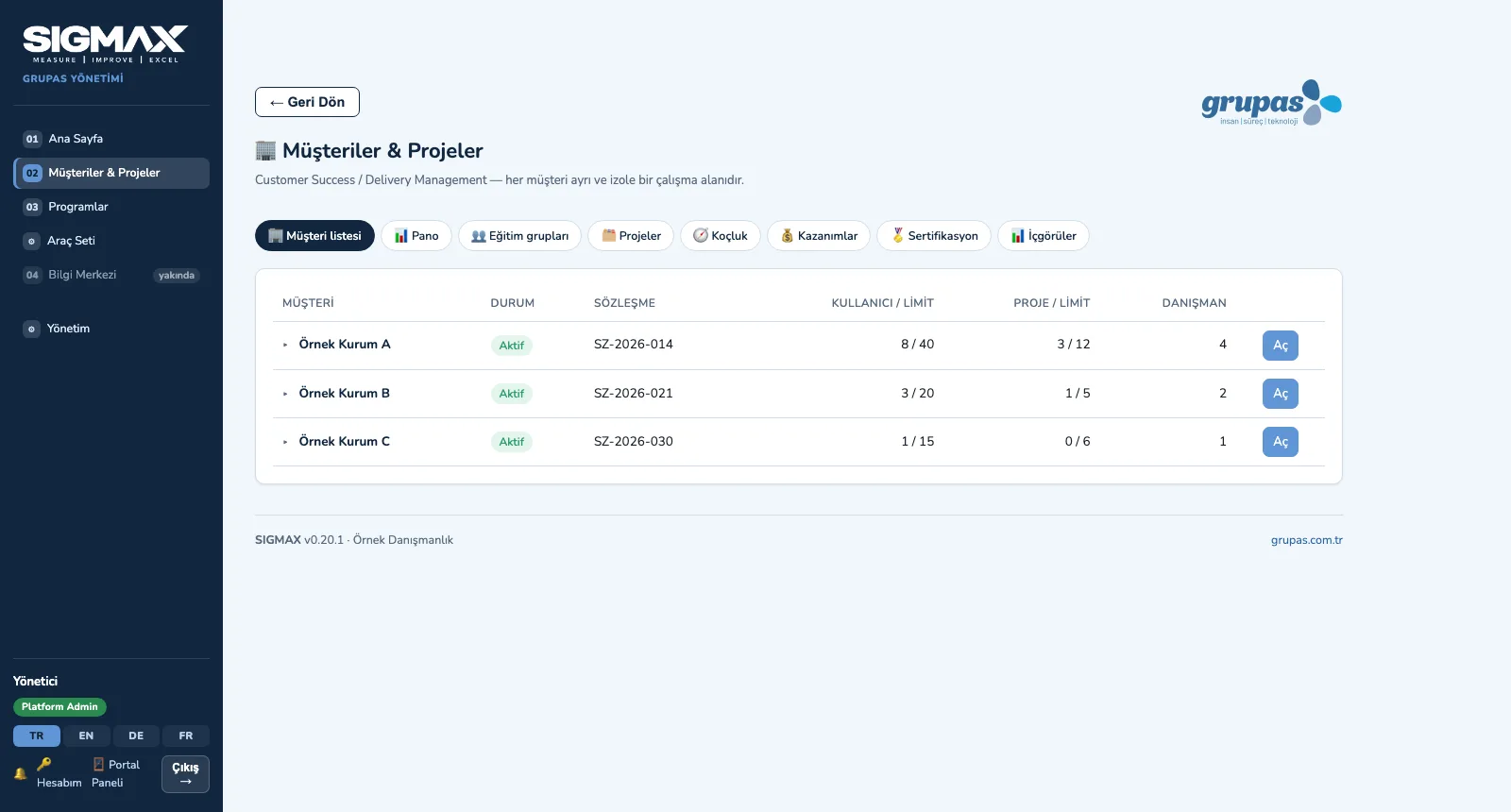
Every client is a separate, isolated workspace: contract, program and team in one place.
Explore TrainAcademy and Cohorts
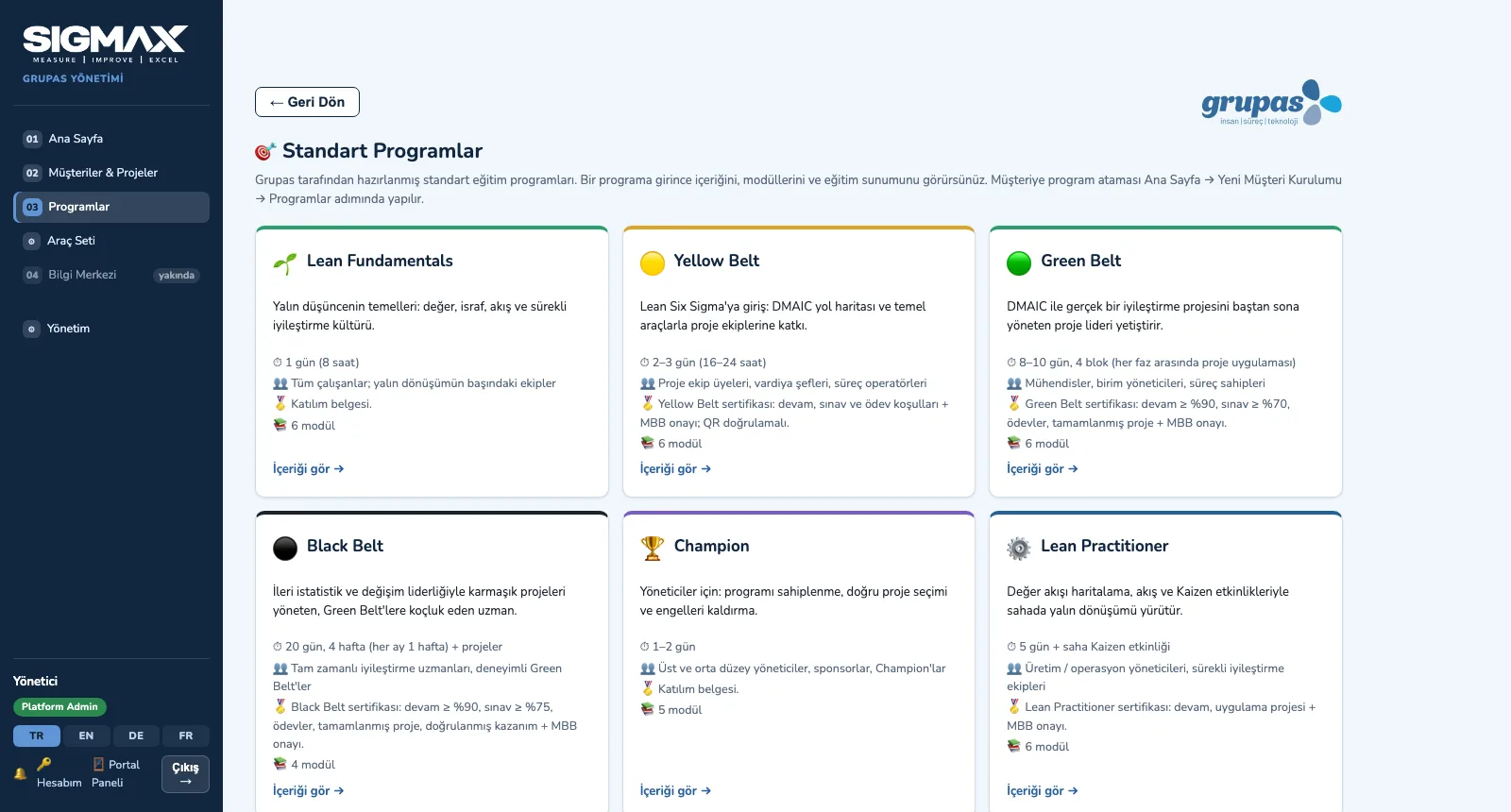
Standard programs, versioned curricula and cohorts — from attendance to exams.
Explore SelectImprovement Hub
Not every idea is a DMAIC: assess it, choose the right method, turn it into a project.
Explore RunProject Room and Tollgates
Every project in one room; every phase passes an approved gate.
Explore AnalyzeTool Set and Statistics
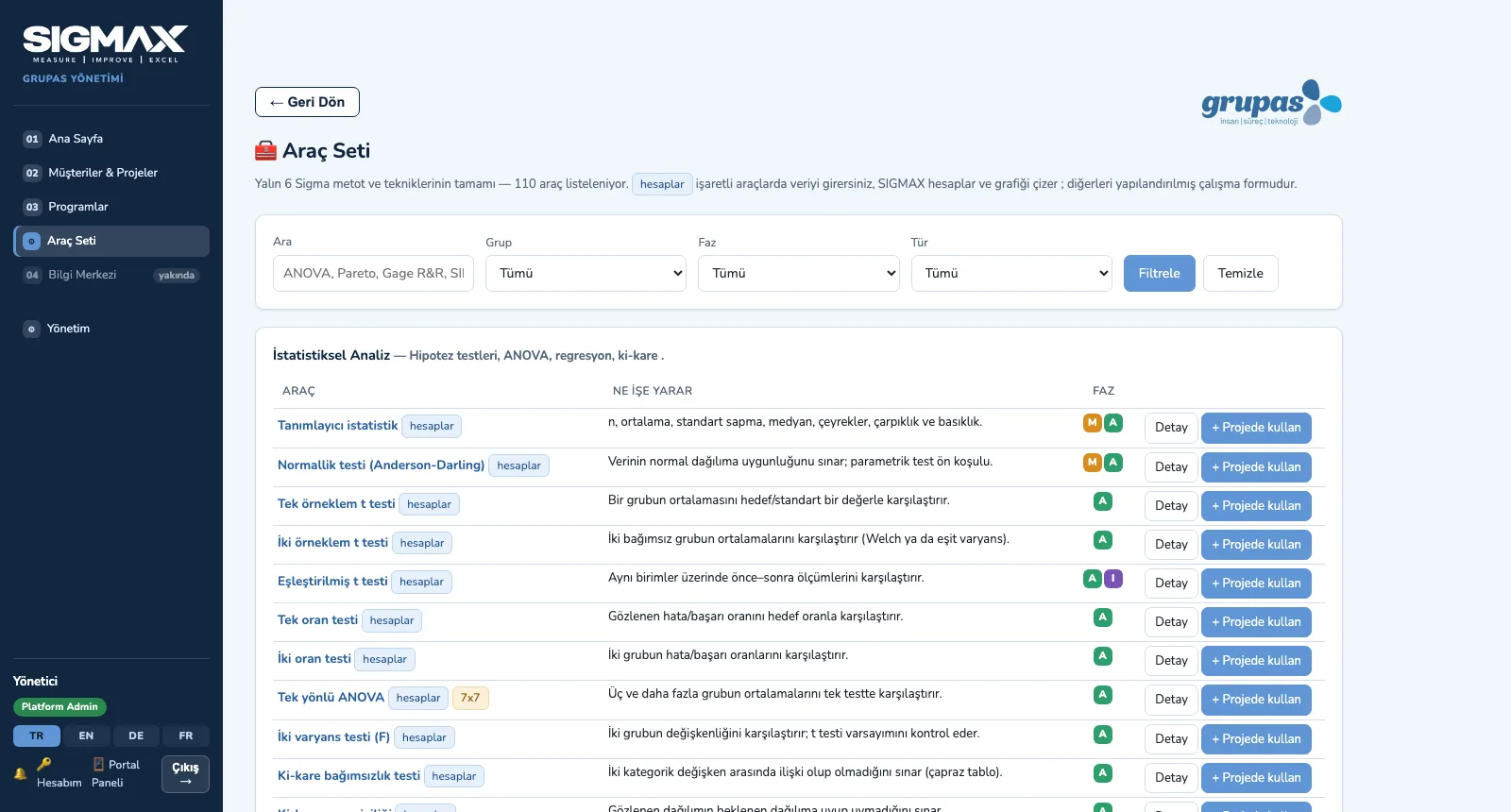
110 Lean Six Sigma tools; 35 of them calculate your data and draw the chart.
Explore ValidateBenefits, Certification and Insights
Benefits validated by finance, rule-based certification, one screen for management.
ExploreClient and Program Management
SIGMAX is a multi-tenant platform: the training and consulting team manages all its clients in one place, and each client sees only its own data. Client profile, organization tree, contract and purchased services, usage and the Lean Six Sigma program — with its objectives, team, roadmap and governance — live in the same workspace.
- Client list: status (active, prospective, on hold, archived), contract, user / project limits and number of consultants
- Client profile (industry, location, language, currency) and organization tree: sites, departments and units
- Contract and services: participant and project licenses, training days, coaching hours, consulting days; actual use on the Usage screen
- Program: objectives (benefits, projects, certifications, KPIs), program team, roadmap, cohorts, projects and governance (meetings, decisions, risks)
- Role-based access: User × Client × Program / Cohort / Project × Role; 14 roles, dated assignments and an audit log
Academy and Cohorts
Nine standard programs (Lean Fundamentals, Yellow, Green and Black Belt, Champion, Lean Practitioner, SPC, MSA, DOE) are built from modules; each module holds videos, presentations, documents, exercises, case studies, quizzes and assignments. The published version is added to the client's program as a frozen copy; each cohort runs its schedule, attendance, assignments and exams.
- Course Builder: add modules and content, drag-and-drop ordering, assign tools to modules
- Versions (draft → published) and a question bank; a published version never changes
- Cohort: participants, session schedule, attendance, assignments, exams and gradebook
- When a session is completed, that module's assignments open automatically and participants get a task and a notification
- Exams: time limit, number of attempts, pass mark; random questions from the question bank
- A training presentation (PPTX) generated in one click from the program profile and modules
Improvement Hub
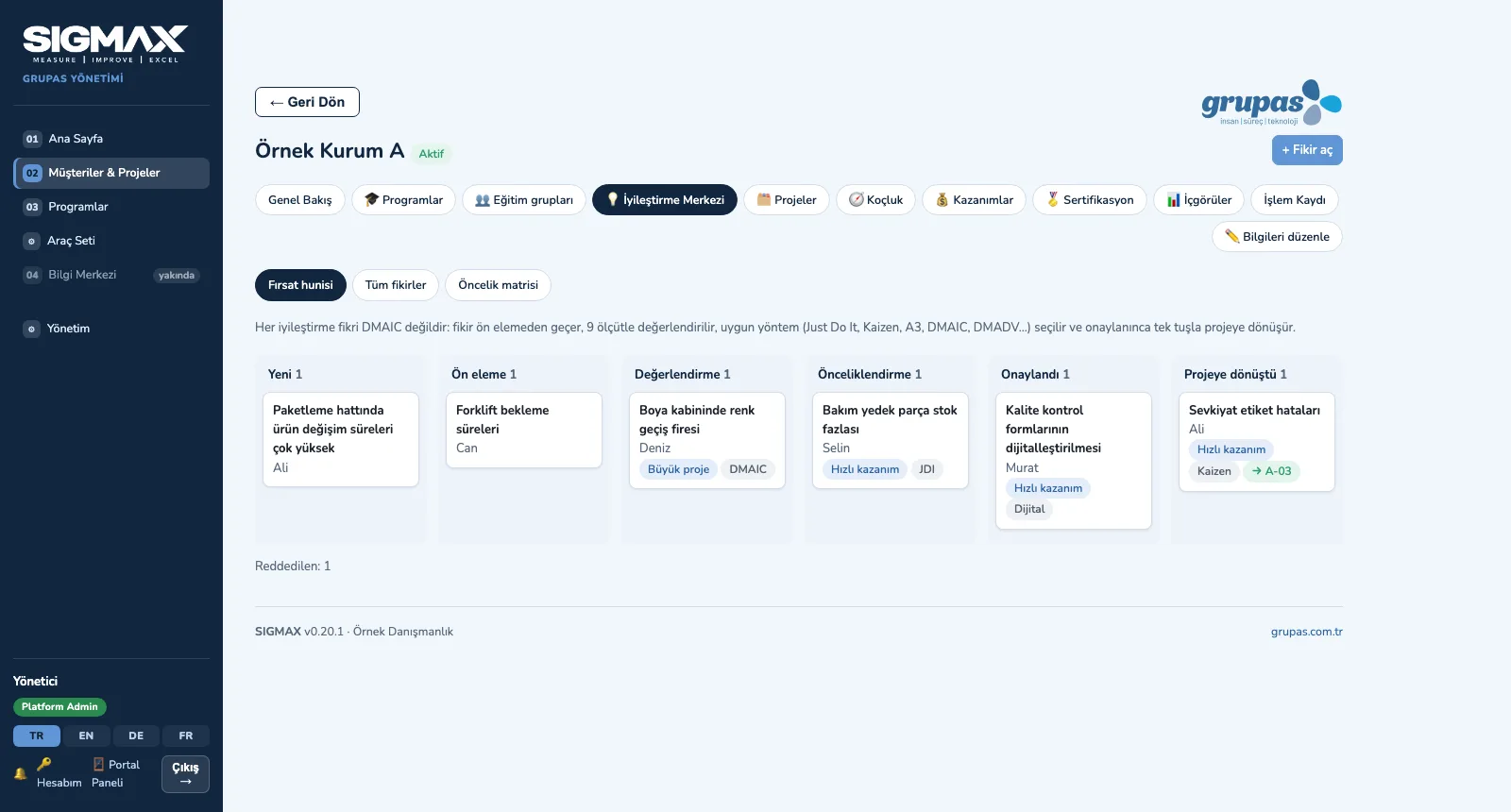
Every employee of the client can report an idea or a problem. The idea moves through the opportunity funnel — New, Screening, Assessment, Prioritization, Approved, Converted to project — and is scored on 9 criteria. Impact and effort are calculated, and a method is suggested depending on whether the root cause is known and whether a process already exists.
- Submit an idea: title, description and organization unit
- Opportunity funnel (kanban) and a list of all ideas; rejected ideas counted separately
- 9 criteria (1–5): strategic fit, customer, financial and quality impact, productivity, data availability, complexity, risk, replication potential
- Method suggestion: Just Do It, Kaizen, DMAIC, DMADV; the assessor may choose A3, Lean or Digital instead
- Impact × Effort matrix: Quick win, Major project, Fill-in, Avoid
- Convert to project: title, description and estimated benefit carry over to the project
Project Room and Tollgates
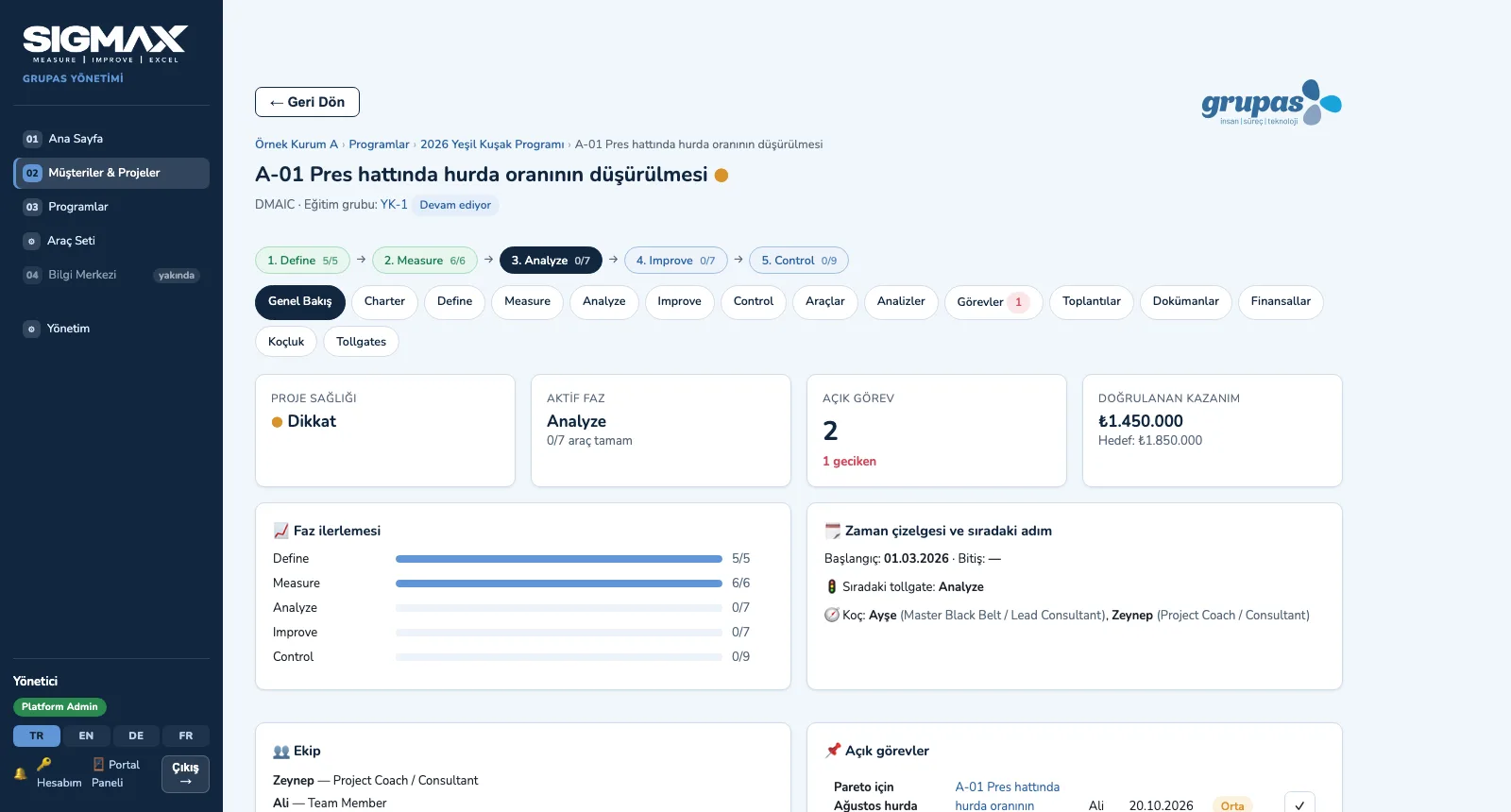
DMAIC, DMADV, Kaizen, A3, Lean, Digital and Just Do It projects run with their own phases and tools. The project room brings together the charter, phase tools, tasks, meetings, documents, financials and coaching; when a phase is done it is sent to a tollgate and passes the client's own approval flow.
- Project room: Overview, Charter, phase tabs, Tools, Analyses, Tasks, Meetings, Documents, Financials, Coaching, Tollgates
- Phase tools: SIPOC, VOC, CTQ tree, KPI, data collection plan, MSA, process capability, Pareto, fishbone, FMEA, solution matrix, control plan…
- Calculated fields: cumulative % and the vital few in Pareto, RPN in FMEA, scores in the solution matrix
- Coach feedback: comments under every tool, marked "resolved"
- Tollgate: checklist, ordered approval steps (e.g. Champion → MBB), approve / approve with conditions / revise; a revision becomes a task for the leader
- Coaching: session notes, findings, decisions, risks; every action becomes a task for the project leader; coaching hours compared with the contract
Tool Set and Statistics
The Tool Set is open in every portal: 110 methods and techniques in 11 groups — statistical analysis, measurement system and capability, control charts, chart and data tools, design of experiments, project, customer, quality, lean, design and management tools. Each tool explains what it is for, when to use it, the steps, how to interpret it and an example; for calculating tools you enter the data, SIGMAX produces the result and the chart, and you save the analysis to the project.
- Search and filters: group, DMAIC phase and type; calculating tools are flagged
- Guidance: what it is for, when to use it, steps, interpretation and an example
- Calculating tools: descriptive statistics, normality, t and proportion tests, ANOVA, chi-square, non-parametric tests, correlation and regression, sample size, Gage R&R, process capability, sigma level / DPMO, Pareto, histogram, factorial DOE
- Control charts: I-MR, X̄-R, p, np, c, u — with control limits and out-of-control signals
- Save the analysis to a project: data, result, chart and comment in the project room's Analyses tab
- Relevant tools are assigned to every module of the standard programs; the same guidance in training and in projects
Benefits, Certification and Insights
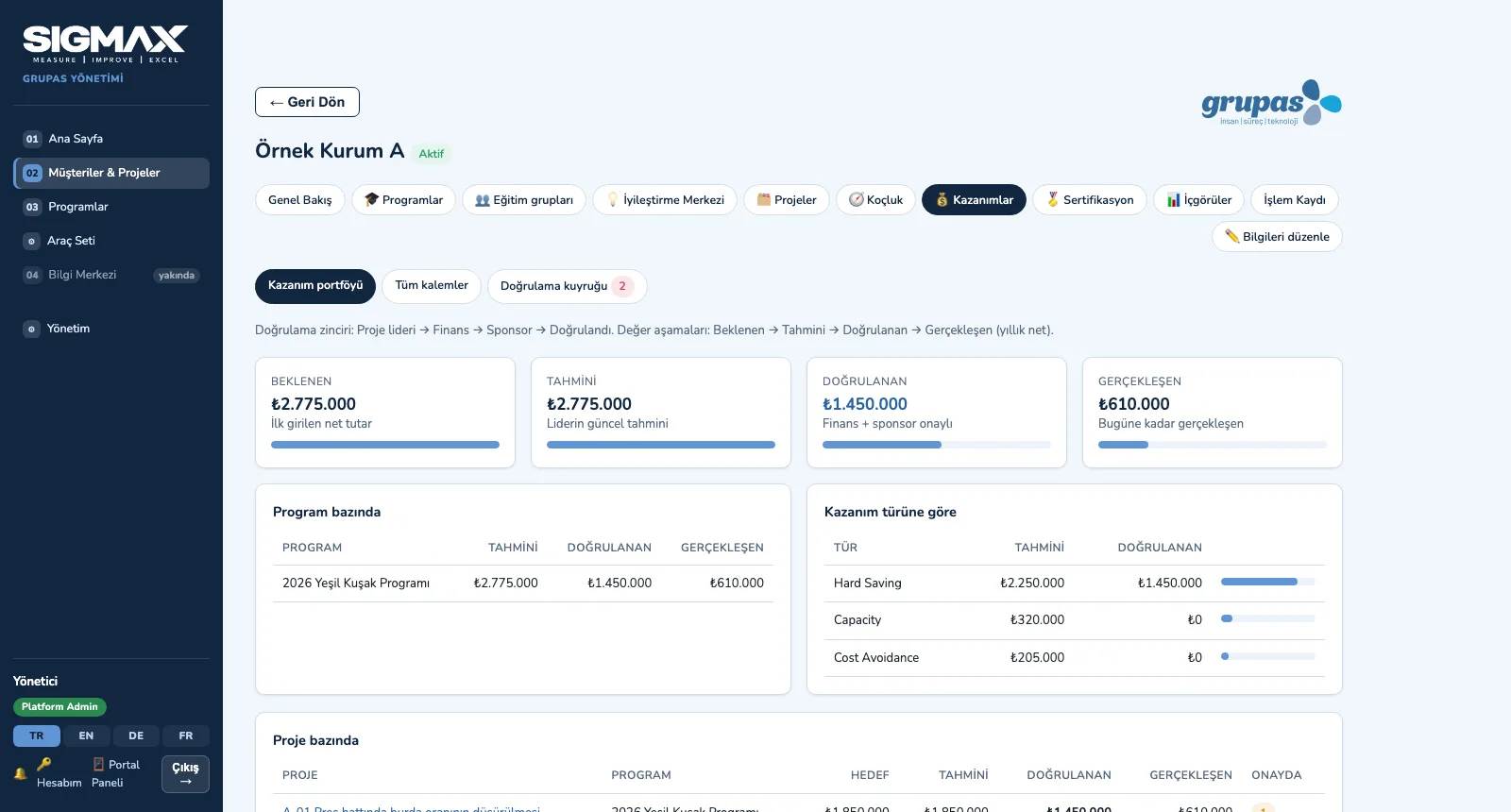
Benefits are entered line by line (before / after, implementation cost, net) and pass the Project leader → Finance → Sponsor chain; an unvalidated benefit never counts as validated in reports. A belt certificate is not given for attendance alone, but to the person who meets the attendance, exam, assignment, project and benefit rules and is approved by an MBB. Insights show project, training, benefit and consultant analytics filtered by each user's rights.
- Benefit types: hard and soft savings, cost avoidance, revenue, productivity, capacity, inventory, working capital
- Value stages: Expected → Estimated → Validated → Realized; portfolio by program, type and project, plus a validation queue
- Certification rules: attendance, exam and assignment thresholds; per belt, a completed project and a validated benefit; the final step is MBB approval
- Certificate: unique number, PDF with QR code, a verification page that needs no login, revocation with a reason
- Insights: management cockpit, project, training, benefit and consultant analytics
- Anonymous benchmarking: the median of at least 3 clients, with no client names
See your program in SIGMAX
Write to us for a live walkthrough on sample data.