
Tool Set and Statistics
110 Lean Six Sigma tools; 35 of them calculate your data and draw the chart.
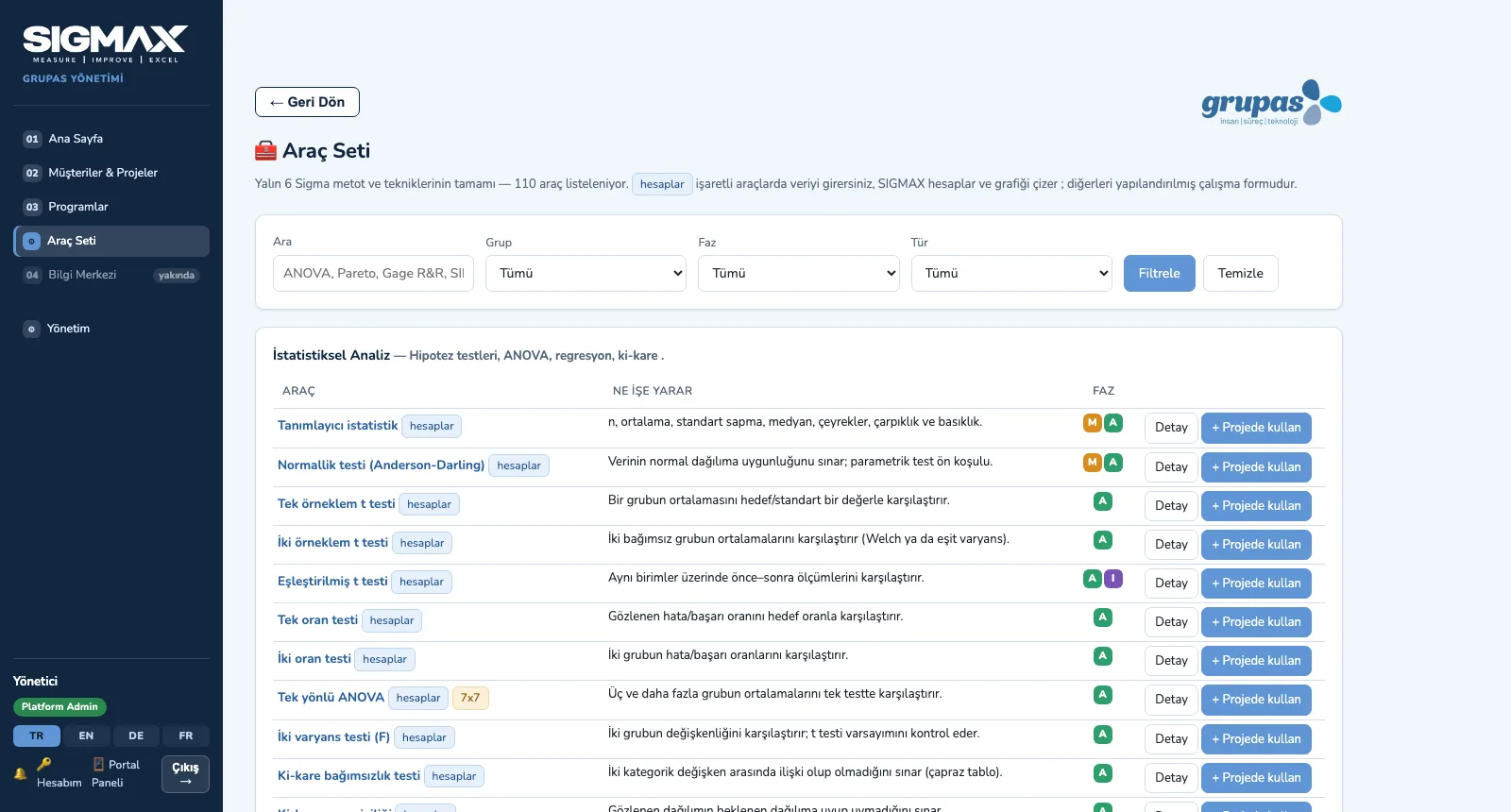
The Tool Set is open in every portal: 110 methods and techniques in 11 groups — statistical analysis, measurement system and capability, control charts, chart and data tools, design of experiments, project, customer, quality, lean, design and management tools. Each tool explains what it is for, when to use it, the steps, how to interpret it and an example; for calculating tools you enter the data, SIGMAX produces the result and the chart, and you save the analysis to the project.
What you gain with SIGMAX
- Every calculating tool can be tried with ready-made sample data via "Try the example".
- Data is pasted in; both point and comma are accepted as decimal separators.
How it works
Find the tool, read the guidance, calculate, save to the project.
-
1
Find the tool
Filter the 110 tools by group, phase and type; calculating tools are flagged.
-
2
Read the guidance
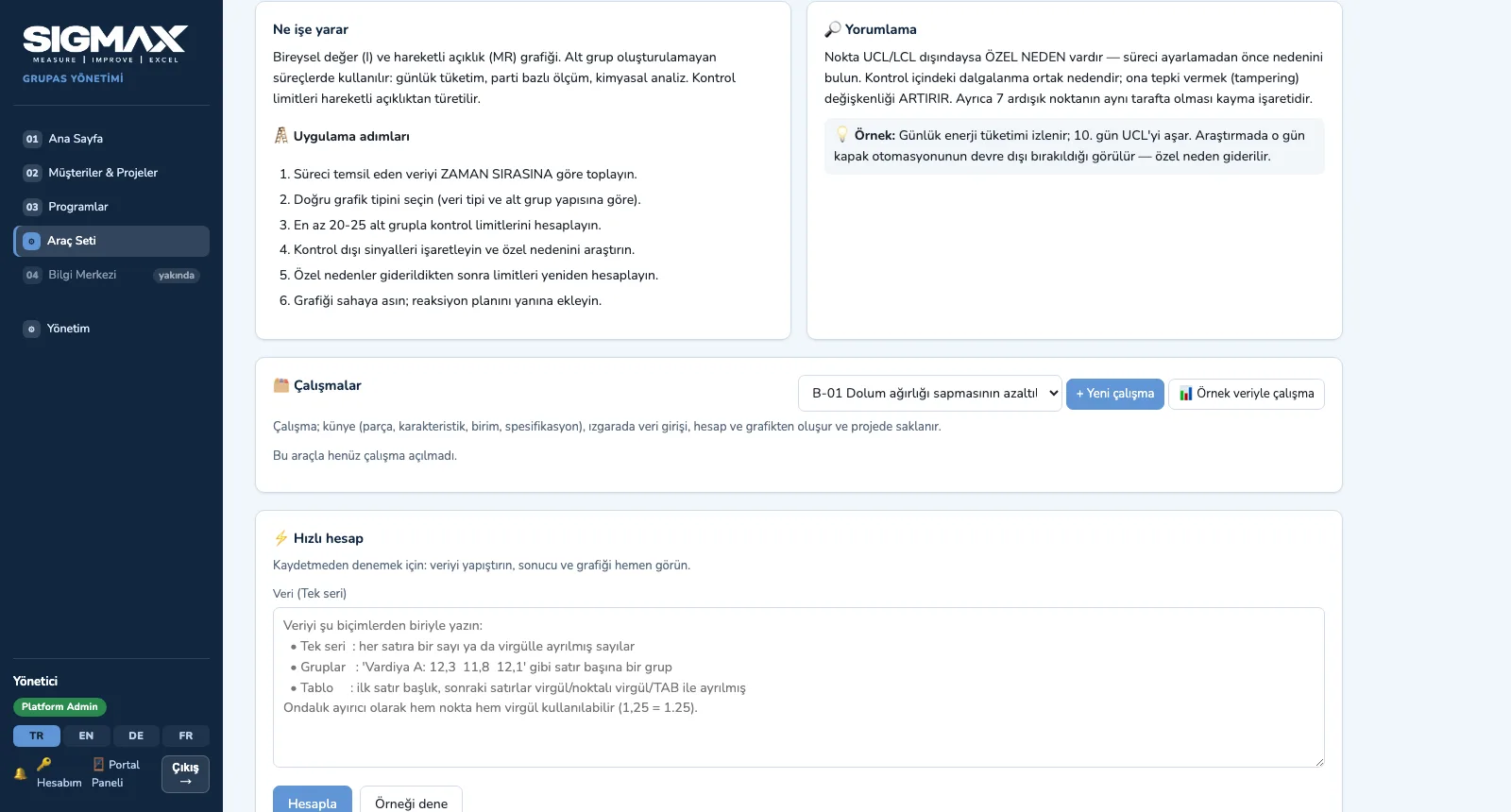
What it is for, steps, interpretation and an example; add the tool to a project and open a study.
-
3
Enter the data, calculate
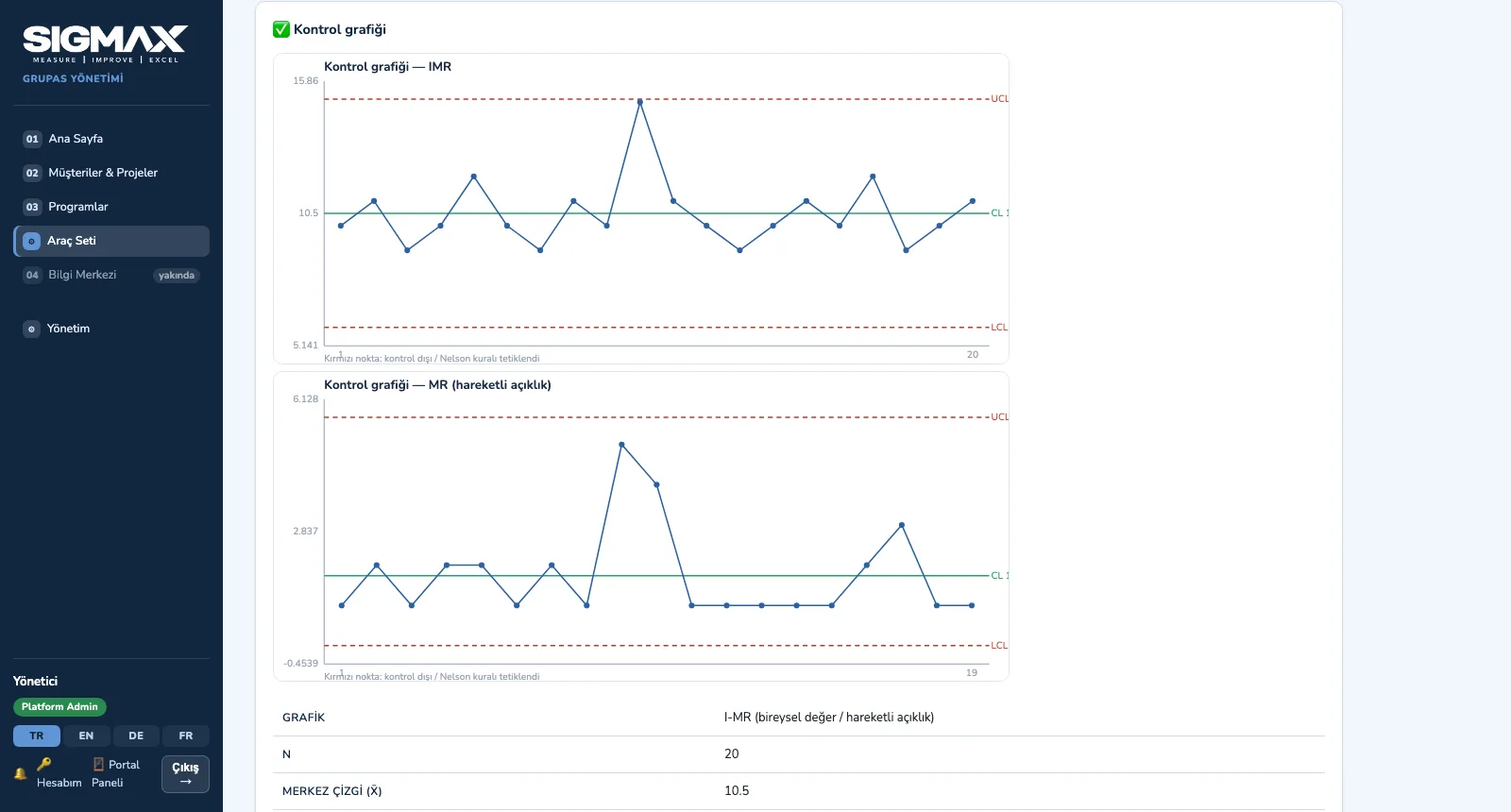
The result table and chart appear at once — e.g. an I-MR control chart with its control limits.
-
4
Save it to the project
The analysis is saved with your comment in the project's Analyses tab; the team opens the charted report later.
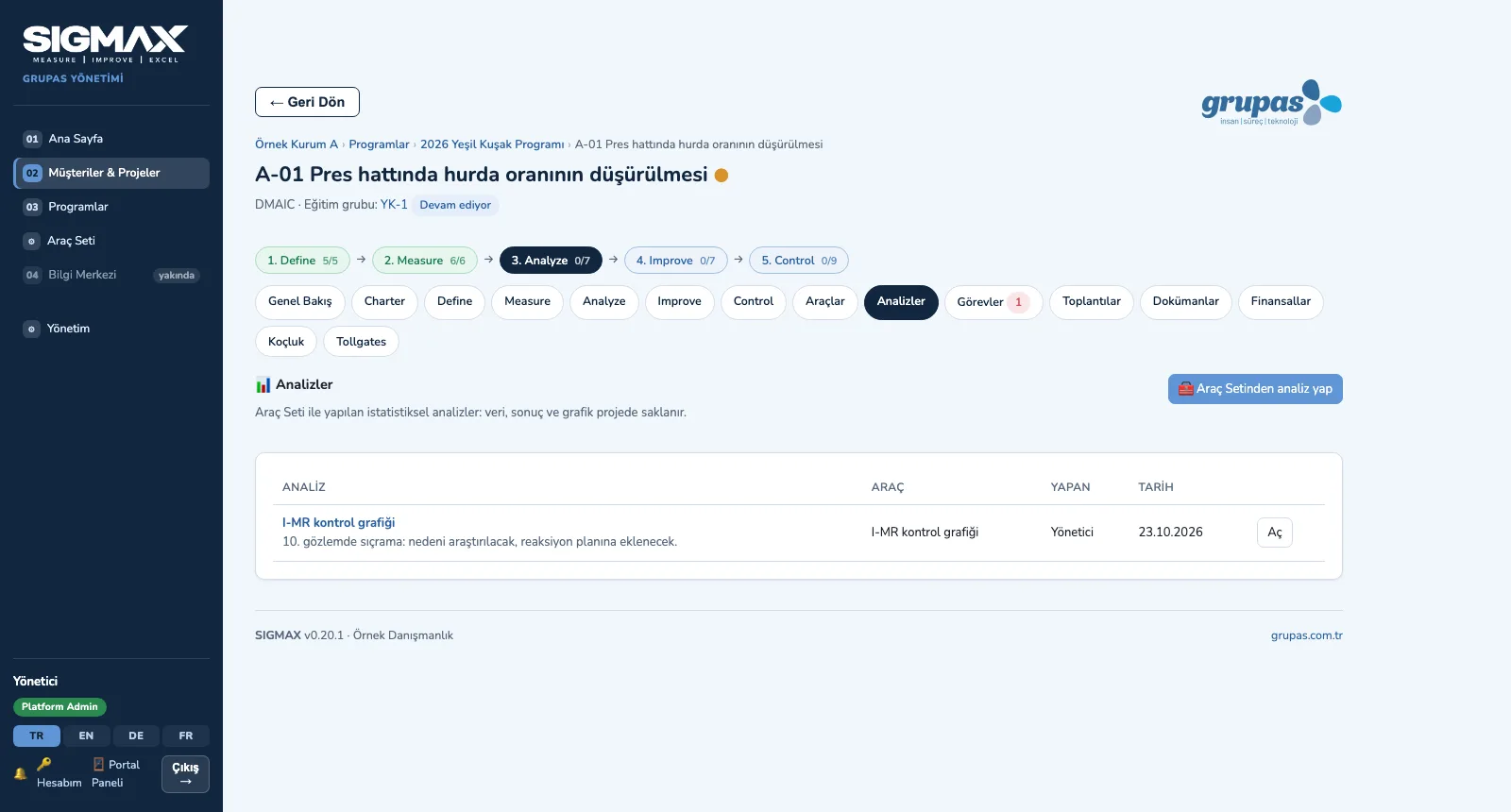
Screens are shown with sample data from the Turkish interface; the application is available in TR, EN, DE and FR.
Purpose
To pick the right tool in the right phase and make the analysis part of the project record.
Features
- Search and filters: group, DMAIC phase and type; calculating tools are flagged
- Guidance: what it is for, when to use it, steps, interpretation and an example
- Calculating tools: descriptive statistics, normality, t and proportion tests, ANOVA, chi-square, non-parametric tests, correlation and regression, sample size, Gage R&R, process capability, sigma level / DPMO, Pareto, histogram, factorial DOE
- Control charts: I-MR, X̄-R, p, np, c, u — with control limits and out-of-control signals
- Save the analysis to a project: data, result, chart and comment in the project room's Analyses tab
- Relevant tools are assigned to every module of the standard programs; the same guidance in training and in projects
Benefits
- A first analysis without switching to separate statistics software
- The analysis stays in the project with its data and comment
- The tool learned in training is the same in the project
Who uses it
Belt candidates, training participants, project coaches, MBBs and trainers.